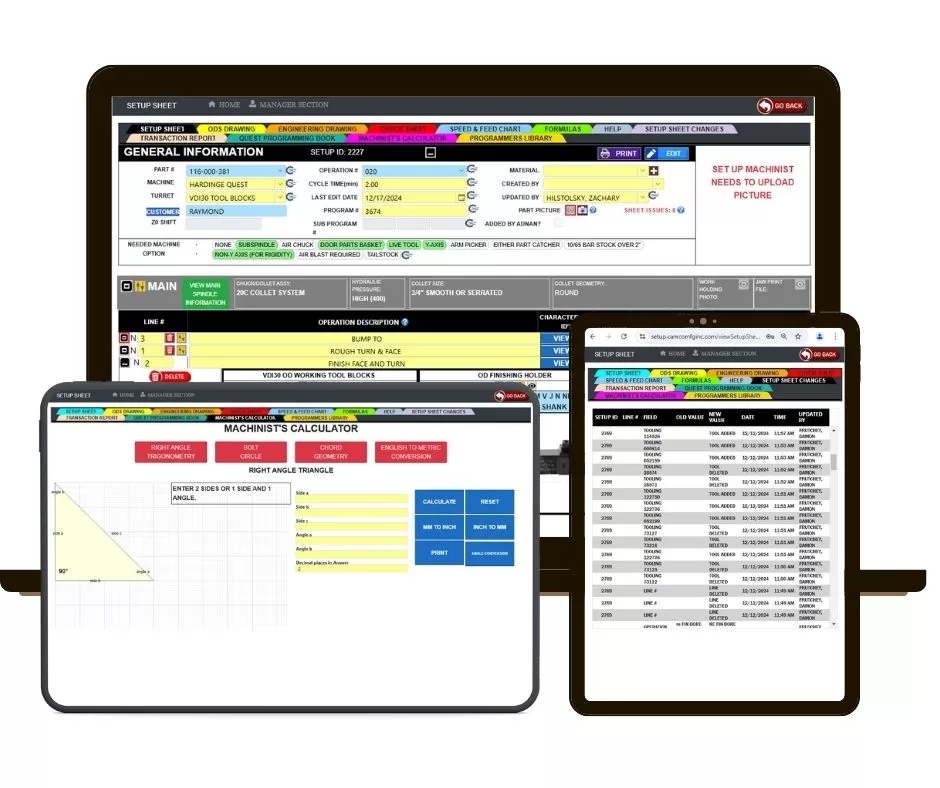
Texono's Setup Sheet Application replaces paper binders, Excel files, and tribal knowledge with one digital setup sheet for every CNC job. Operators open it on a computer or tablet and see the tools, offsets, fixtures, and instructions they need before the first part is cut.
It is built for machine shops running lathes, milling machines, drills, and other CNC equipment, and it can run on its own or as a module of your ERP.
Book a free demo · See a working prototype in 7 days
Why CNC setups waste spindle time
Every changeover that depends on a binder, a spreadsheet, or one experienced machinist's memory costs you machine time. The usual causes are:
- Setup instructions that are outdated, missing, or stored in five places
- Operators hunting for the right tool, offset, or fixture detail
- New hires who need weeks of shadowing before they can run a setup alone
- Repeat jobs that are set up differently every time, which causes scrap and rework
A digital setup sheet fixes this by putting one current version of every setup at the machine.
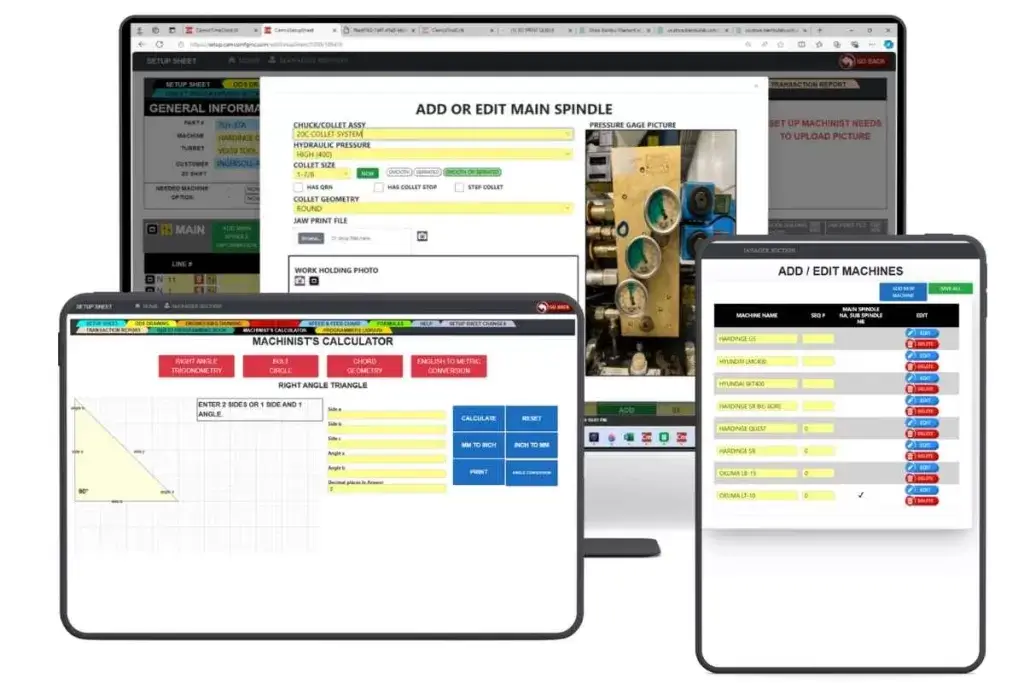
What the Setup Sheet Application does
Automated, digital process sheets
Replace manual setup notes and Excel files with an automated digital process sheet that operators generate in a few clicks. The application pulls job data from your existing databases, so the sheet is filled with current information instead of copied by hand.
Everything about the job in one place
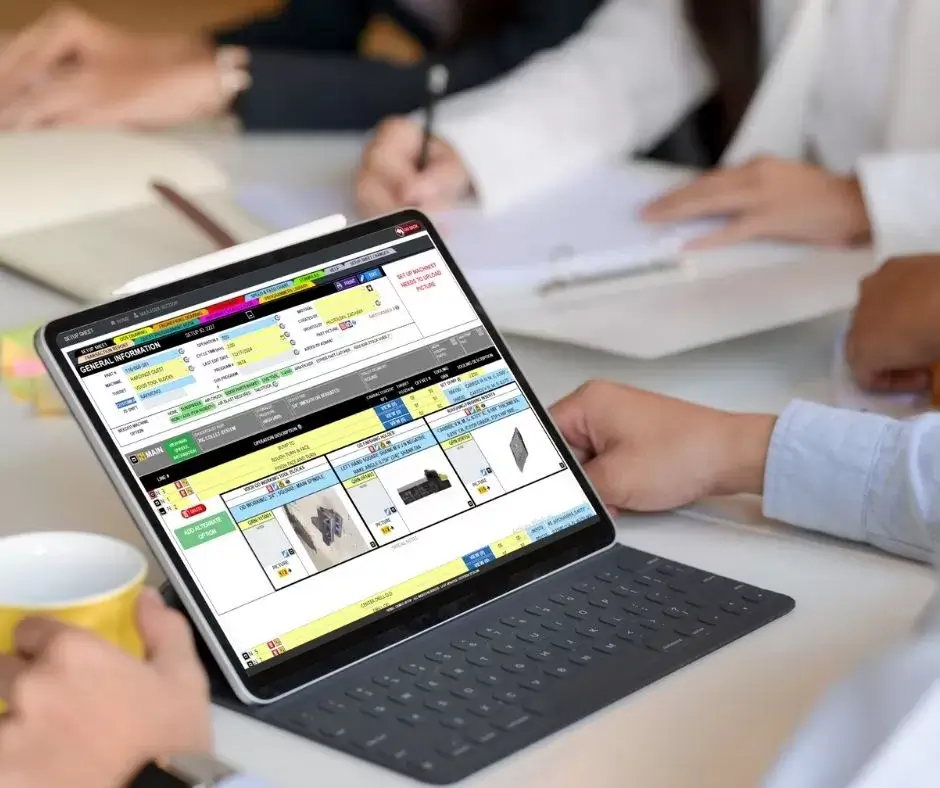
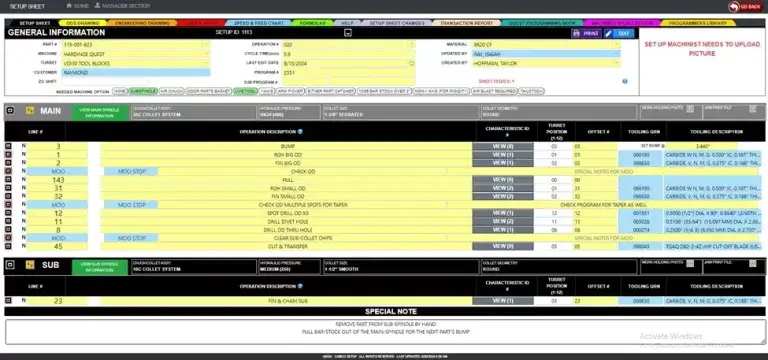
Each setup sheet holds the part name and drawing number, material type and dimensions, machine type and model, tooling requirements with speeds and feeds, and workpiece clamping and fixture details. Setup instructions add clear steps, sketches or diagrams, and operator notes, so nothing depends on who is on shift.
Detailed tooling data
Show tool selection, maintenance status, inventory, images, part numbers, and offsets on the sheet itself. Operators spend less time looking for the right endmill and more time running the job.
Tool crib synchronization
When you add a tool crib management system, tooling data syncs automatically, covering end mills, drill bits, face mills, reamers, thread mills, and specialized cutters. Only tools available on a specific machine can be selected for that machine's setup sheets, which prevents setups built around tools that are not there.
Reports and analytics
Get daily, weekly, and monthly reports for each job, so supervisors can see which setups run long and which machines cause delays, and fix the cause instead of guessing.
How operators create a setup sheet
- Open the app on any computer or tablet through a standard browser.
- Select the machine, such as a lathe or mill, from a list customized to your shop.
- Choose the part or job. The app pulls the relevant data from your existing databases.
- Generate the setup sheet. Part number, operation, material requirements, turret, cycle time, and cutting parameters are filled in for accuracy.
- Review and adjust. Check the sheet, make changes, and add any special notes for the operator.
The result is a repeatable standard your whole team follows. If you want the thinking behind a good sheet, our step-by-step CNC setup sheet guide walks through what to include, and our article on standardizing CNC machine setups explains how a structured setup process cuts idle spindle time.
Proven at CAMCO Manufacturing
CAMCO Manufacturing Inc., a working machine shop, uses the Setup Sheet Application across its CNC machines. After rollout, CAMCO reported:
- Setup time down 30 to 40% through standardized procedures and automated calculations
- Machine utilization up 10 to 15% from shorter setups and less downtime
- Defects and rework down 10 to 15% through consistent setups and quality checks
- Operator training up to 30 to 40% faster with clear instructions
- Overall production up about 32%
What it looked like on the floor
- Faster complex setups: one setup that took 3 hours dropped to 2 hours, a 33% saving.
- Fewer surprise breakdowns: the app flagged a recurring issue on one machine, which led to proactive maintenance and avoided 5 hours of unplanned downtime.
- Quicker onboarding: clear step-by-step instructions let a novice operator reach full productivity within 3 days.
Let’s Simplify Your CNC Setup Process Using Setup Sheet Application
Book Your Free Call TodayWorks with the rest of your shop software
The Setup Sheet Application can run on its own or as a module of Texono's manufacturing ERP software. Shops that want job tracking, scheduling, and costing in the same system can pair it with our machine shop ERP, where setup data feeds real-time job costing so you see what a changeover really costs.
Setup records also connect naturally to a production database for workholding and feeds-and-speeds history, and to a quality management app so inspection results sit next to the setup that produced the part. If your needs go beyond the standard modules, our team also does custom software development where you own the code.
Who this CNC setup sheet software is for
- Job shops and make-to-order machine shops with frequent changeovers
- CNC shops running lathes, milling machines, drills, and multi-turret machines
- Shops with high operator turnover or new hires who need clear, consistent instructions
- Teams still using paper binders or Excel for setup and tooling information
Why shops choose Texono
Binders and spreadsheets | Generic ERP | Texono Setup Sheet Application | |
|---|---|---|---|
Setup data | Scattered, often outdated | Rarely built for CNC setups | One current sheet per job |
Tooling | Looked up by hand | Not tied to machine profiles | Synced with the tool crib by machine |
Training | Weeks of shadowing | Manual documentation | Step-by-step instructions at the machine |
Fit | Fully manual | Rigid | Customized to your machines and workflow |
Start | Immediate but costly later | Long implementation | Working prototype in 7 days |
Risk | Hidden cost of errors | Contract first | 60-day free trial |
How getting started works
- Discovery call: tell us which machines and jobs you run today.
- Workflow mapping: we agree on the setup sheet layout and fields before building.
- Prototype in 7 days: your team tests a working version on real jobs.
- Refine and launch: we adjust it with your machinists and go live on the floor.
- Ongoing support: we stay available as your machines and jobs change.
Frequently asked questions about CNC setup sheet software
What is a CNC setup sheet?
A CNC setup sheet is the document an operator follows to prepare a machine for a job. It lists the part, material, tools, offsets, fixtures, program, and any special instructions, so the setup is repeatable.
What is the benefit of a digital setup sheet over paper or Excel?
A digital setup sheet is always current, easy to find at the machine, and connected to tooling and job data. Paper and Excel files drift out of date and depend on whoever last edited them.
Which machines does the Setup Sheet Application support?
It supports CNC lathes, milling machines, drills, and similar machines. We customize machine lists to your shop.
Can it connect to my tool crib or ERP?
Yes. It syncs with the optional Tool Crib application and can run as a module of Texono's manufacturing ERP. We can also discuss connecting to your existing databases.
Do I need a full ERP to use it?
No. You can start with the Setup Sheet Application alone and add other modules later.
How long does it take to get started?
You get a working prototype within 7 days, and a free 60-day trial to test it on real jobs.
Let's simplify your CNC setup process
If your shop is ready to move away from manual setup methods, we offer flexible deployment options to fit your requirements. A free demo is the quickest way to see the application on your own machines, or you can reach the team through our contact page.
Get a working prototype in 7 days with a risk-free 60-day trial.